Free
A free Mac app that runs apps, scripts, or links at startup—just drop them in a folder.
Key Features
- Folder-driven startups
- Drag-and-drop ease
- Hide apps at launch
- Keep apps running
- No system drag
- Crash protection
A free Mac app that runs apps, scripts, or links at startup—just drop them in a folder.
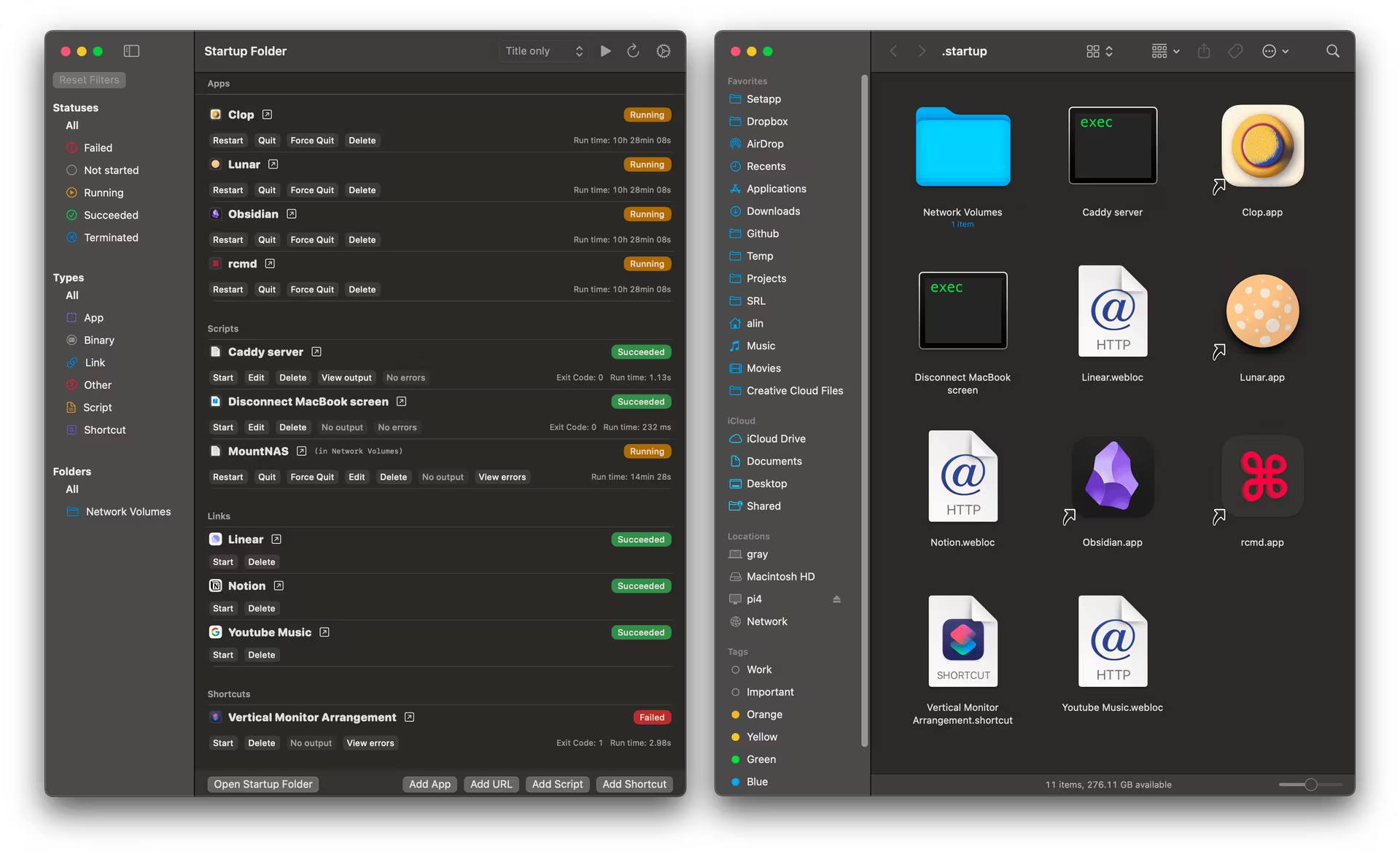
Want your favorite apps or scripts to kick off every time your Mac boots—without fiddling with settings or slowing things down? Startup Folder is your free, no-brainer solution—a lightweight Mac utility that turns a special folder into your startup command center. Drop in an app, a script, a web link, or even a shortcut, and it’ll launch automatically when you log in, no config required. It’s smart enough to hide apps in the background, keep them alive if they stumble, and even dodge crash loops—all while sipping zero system resources. Perfect for busy folks who need tools ready to go, coders automating tasks, or anyone who loves simplicity, Startup Folder makes your Mac’s startup as easy as drag-and-drop. Built for macOS Sonoma and beyond, it’s the low-tech fix that just works.
A free menu bar tool for Mac that puts your favorite folders a click away with previews, search, and drag-and-drop ease.
A free, lightweight tool to customize your Mac’s Dock with live previews and one-click tweaks—no Terminal required.
A free Mac app that blends your MacBook Pro notch into your wallpaper for a seamless, clean look.